AppUploader
The iOS App Store publishing tool that needs no Mac
AppUploader is a cross-platform tool for publishing iOS apps. Without a Mac or Xcode, create iOS development, distribution and push certificates, generate provisioning profiles, upload IPA files to App Store Connect and submit them for review from Windows, Linux or macOS. Its command-line tool, appuploader-cli, automates releases in CI/CD pipelines and AI agents.
- No Mac, no Xcode
- Sign in with Apple ID + app-specific password, no 2FA prompts How to set it up
- Uploads carry no Mac device information
Upload IPA to App Store
Submit your ipa straight to App Store Connect from Windows, Linux or Mac, with no Mac and no Xcode. Upload with one click in the app, or add one command to your build script so every build uploads itself.
- Use
appuploader-cli build uploadin build scripts and CI; add--waitto continue only after Apple has processed the build - A build number already on App Store Connect is reported, never uploaded twice
- iOS, macOS, tvOS and visionOS packages
- Attach the build to a version and submit it for review in the same place
# last step of your build script
appuploader-cli build upload ./build/App.ipa --wait
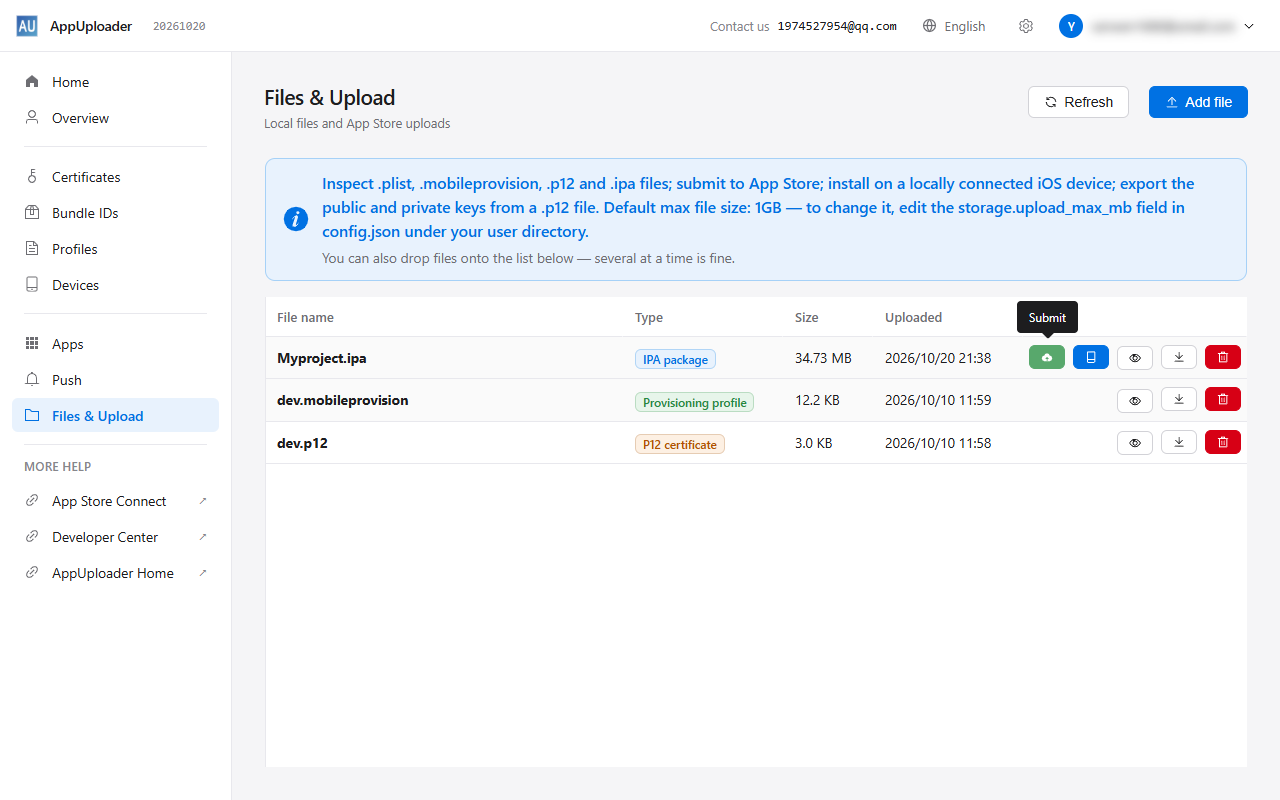
iOS Certificates
No Mac and no Keychain Access. Enter a name and a p12 password to create development, distribution and push certificates, then download the p12 to sign builds on any computer or hand it to a teammate.
- Create development, distribution and push certificates and download the p12
- Right after creating a push certificate, send a test notification from the Push page to confirm it works
- See type, status and expiry in one list, and revoke the ones you no longer need
cert createreuses a usable certificate and only issues a new one when it is close to expiry
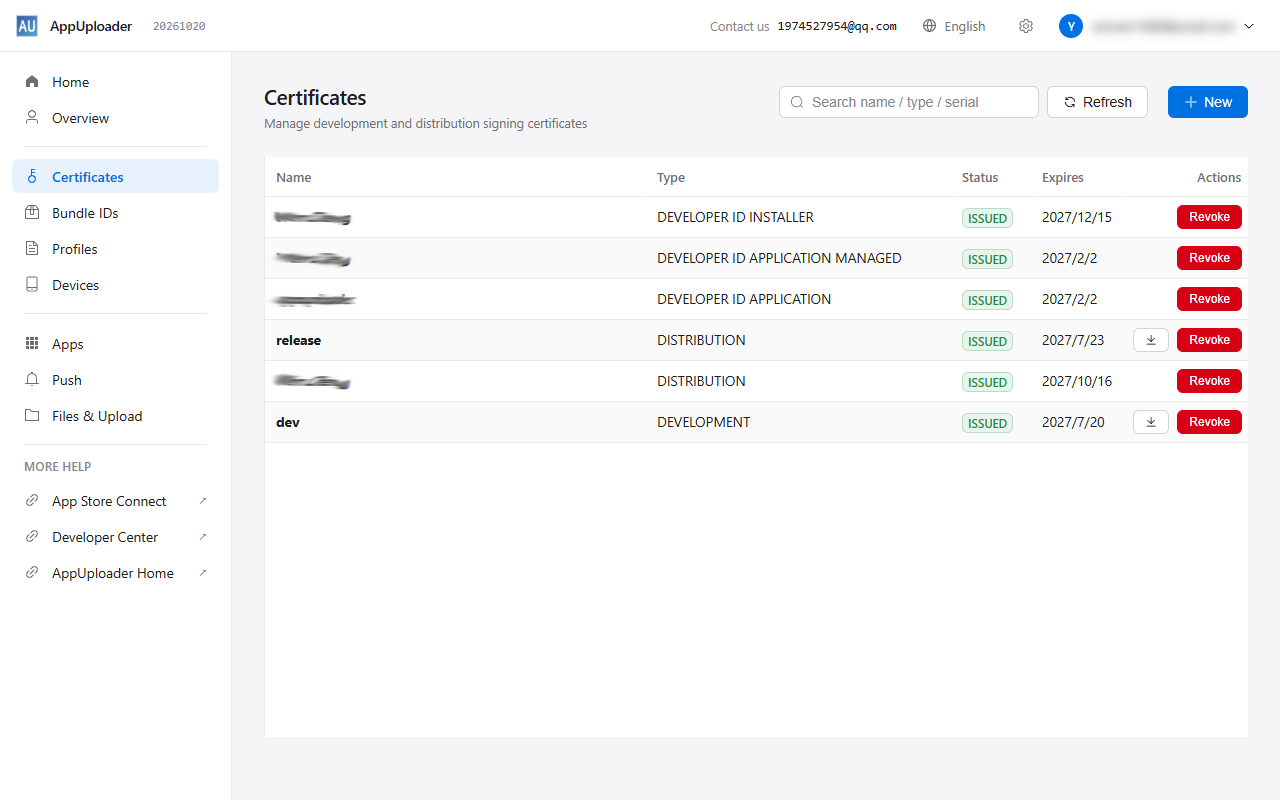
Provisioning Profiles
Pick a Bundle ID, certificates and test devices to create development, Ad Hoc, App Store and In-House profiles, including macOS and tvOS, and download the mobileprovision right away.
- Added a device or renewed a certificate? Rebuild in one click with the current valid certificates and all enabled devices
- Clean up invalid profiles in one click
profile create --all-devicesgenerates every profile in your project config
Store Listing & Bulk Screenshots
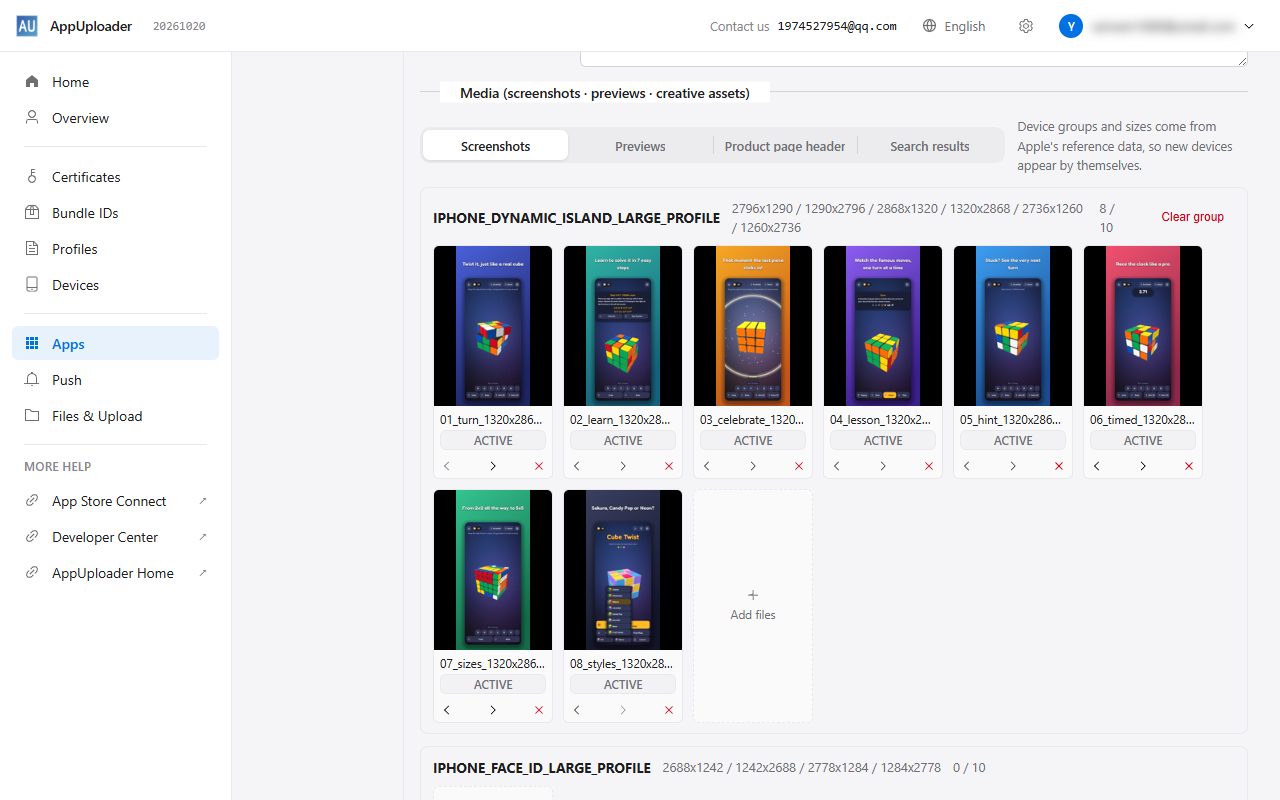
Edit name, subtitle, description, keywords and promotional text per language, and upload screenshots and preview videos per device size. Drop in several images at once and drag to reorder.
- Export the listing to a folder (text as txt per language, screenshots by size), edit it, import it back in one go
- Translate text and copy screenshots to other languages in one click
- Import and export in-app purchase localizations too
- Keep the listing folder in git and ship it with each release using
metadata import
Install on iPhone
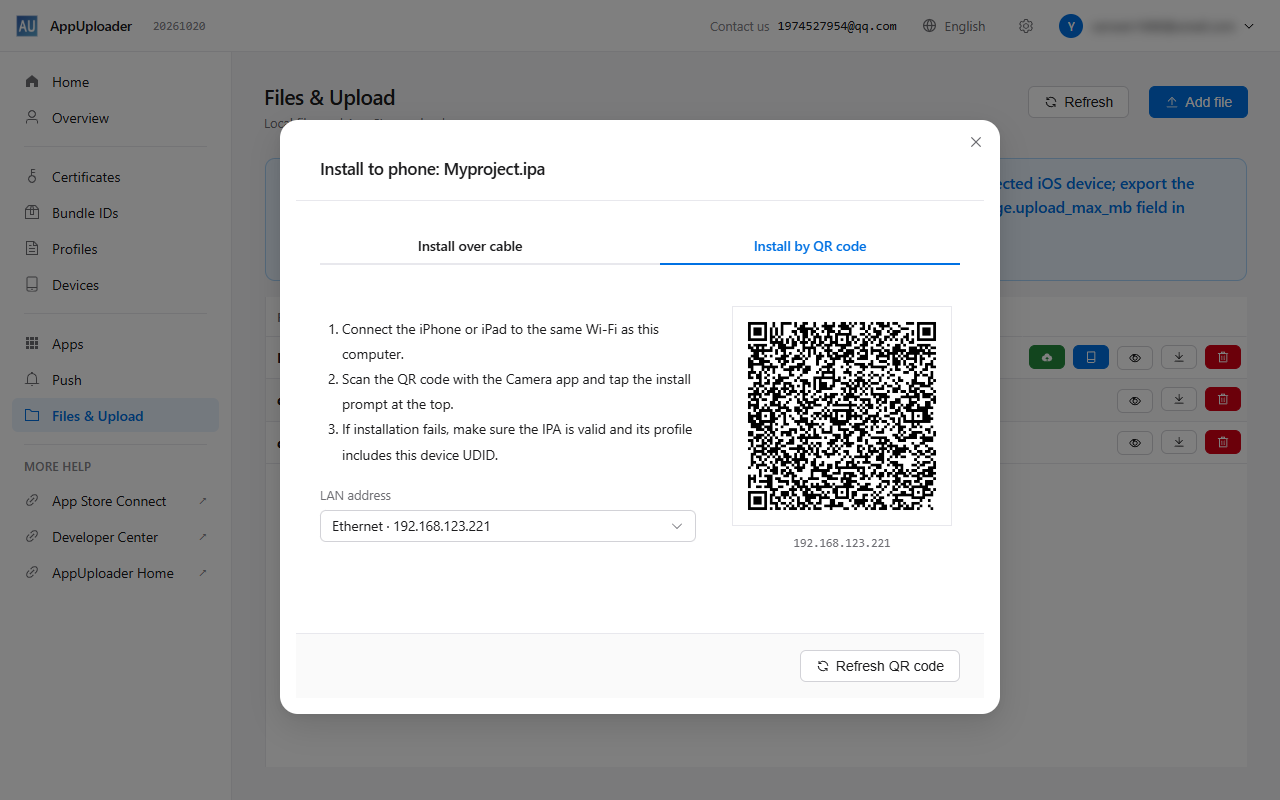
Install your ipa on an iPhone or iPad without going through TestFlight. Connect a cable and install, or put the phone on the same Wi-Fi and scan a QR code with the Camera app.
- Install over a cable or by scanning a QR code on your local network
- The profile type and device UDID are checked first, so you learn why an install would fail before it does
- Read the UDID of a connected device and register it as a test device in one click
Inspect Certificates & Packages
Drop in a p12, ipa, mobileprovision or plist file to see what is inside. When an app registration form asks for your certificate fingerprint or public key, copy it from here.
- p12: public key, SHA1 / SHA256 fingerprints, serial number, validity, Team ID, and whether the private key matches
- Export the public and private key of a p12 as PEM
- ipa: the certificate it was actually signed with, the embedded profile and its device UDIDs
- mobileprovision: Bundle ID, certificates, device list and expiry
- Name
- Apple Distribution: Example Co., Ltd. (A1B2C3D4E5)
- Team ID
- A1B2C3D4E5
- Valid
- 2026-03-02 to 2027-03-02
- Serial
- 5E3A9C0F1B7D2E64
- SHA1
- 9C2F4A71D0E85B3C6F19A2047BD8E15C3A6F0D92copy
- SHA256
- 4B7E…C1A9
- Public key
- RSA 2048 bit · e = 65537
- Key PEM
- MIIBIjANBgkqhkiG9w0BAQEFAAOCAQ8AMIIBCgKCAQEAxH9k…copy
One command from certificates to review
appuploader-cli ships with AppUploader. Describe your app in an appuploader.yaml and
release handles certificates, profiles, the App Store Connect record, upload, store listing, screenshots and review submission, resuming where it stopped after a failure.
- Runs in GitHub Actions, Jenkins and GitLab CI, Linux runners included
- Built-in skill file for AI agents such as Claude Code and Codex
- Shares accounts with the desktop app, so a signed-in account just works
appuploader-cli release
[1/14] preflight: ok
[3/14] certs: reused
[4/14] profiles: reused
[6/14] version: ok
[7/14] upload: ok
[8/14] metadata: ok
[9/14] screenshots: ok
[10/14] build-wait: ok
[13/14] submit: ok
[14/14] testflight: ok
More Features
Push Testing
Bind an APNs certificate to a push channel, add a device token and send. Works for sandbox and production, with every result kept in history.
Test Devices
Add or bulk-import test devices and read the UDID of any iPhone or iPad connected to your computer, without switching to Apple’s website.
Bundle IDs & Capabilities
Create and delete Bundle IDs and turn on capabilities such as Push, Sign in with Apple, iCloud and App Groups.
Apps & In-App Purchases
Create apps and versions, fill in review information, set up in-app purchases with names, prices and review screenshots, and track review status.
Free Account Device Testing
Create development certificates and profiles and test on a real device without a paid developer membership. Apple does not let free accounts submit for review or use Push, In-App Purchase or Sign in with Apple.
Online Tools
Right on this site: Android keystore, app icon generator and UDID lookup.
Safe and Reliable, Trusted by Customers


More Products
Sniff Master
iOS packet capture with HTTPS decryption and two-way HTTPS pinning bypass. No proxy, jailbreak or root: connect the device and start capturing.
Learn moreKeyMob
iOS development assistant: CPU, memory and GPU monitoring with lag detection, live and crash logs, and device file management without jailbreak.
Learn moreIpaguard
Obfuscate and protect an IPA directly, no source code needed. Works with Objective-C, Swift, Flutter, React Native and H5 apps.
Learn more